doula businessclient workflowpractice managementenquiriesuk
From enquiry to postnatal follow-up: a manageable doula workflow
Keep track of what you have promised, who is responsible and what happens next. A practical workflow for enquiries, bookings, ongoing support and follow-up.

You remember the family who asked about November. You also remember promising someone a call, sending a service agreement and needing to arrange a postnatal visit. The difficulty is remembering which action belongs to which person without opening every message again.
A client workflow gives those commitments somewhere to live. It can be a carefully maintained list or a board in your practice software. The useful part is being able to answer a simple question: who needs something from me next, and when?
You do not need a complicated system or a deadline for every conversation. Start with a few clear stages and a named next action. Then adapt the process to the support you actually offer.
Track the next action, not just the stage
“Enquiry” tells you where a conversation started. “Send availability by Thursday” tells you what to do. A stage becomes much more useful when it sits beside an action and a date.
For each active enquiry or client, keep a short working summary:
The current stage, described in plain language.
The next agreed action.
The person responsible for it.
The date it is due, or the date you will review it.
Here is a fictional example: Introductory call completed; send the revised package summary; my action; Thursday. That is enough to orient you without putting private detail on the front of the card.
Separate action dates from service dates. A due date, an on-call window and a reminder to send information are different things. If everything is entered as “due”, your list becomes harder to interpret precisely when you are busy.
Stage one: an enquiry that needs an answer
Your first task is to establish whether the service might fit. You might need the support requested, approximate timing, area and a preferred way to reply. You rarely need a detailed personal history at this point.
Set a response window you can maintain and make it visible. Someone who knows you usually reply within two working days has a clearer expectation than someone who receives an instant automated message followed by silence. If your availability changes, update the acknowledgement.
Check your enquiry route regularly, including any spam or delivery problems. A weekly review is useful for the whole practice, but it is not enough on its own if you have promised to reply sooner.
If you cannot offer the support, say so plainly. You can offer a colleague’s public details or ask whether the family would like an introduction. Do not forward their private message to another practitioner simply because you think that person could help.
Stage two: a conversation, with room to decide
An introductory call is a chance to understand the request, explain your role and see whether the arrangement works for both sides. Leave time for questions about practical matters as well as your approach.
Afterwards, record what you have actually agreed to send or do. It might be a written quote, an answer about travel or a chance to speak to the proposed backup. It need not always be a contract sent immediately after the call.
If a family wants time, ask whether they would like you to check back and when. Record that agreement. A seven-day silence does not tell you why someone has not replied, and it does not create a universal deadline for their decision.
Distinguish “waiting for my reply” from “waiting for the family’s decision”. Otherwise, a full column can make your own overdue task look like someone else’s delay. If you stop holding availability, communicate that clearly and explain how they can check again later.
Stage three: the booking has been agreed
Define what confirms a booking in your own service agreement. The workflow should reflect those terms; a label on a board does not determine whether a contract exists.
Once the booking is confirmed, send a concise welcome summary. Set out the service, agreed dates or availability window, payment schedule, contact route and next appointment. Explain what the family needs to complete now and what can wait until the relevant conversation.
Keep the welcome manageable. Asking someone to complete every possible form at once may create more information than you currently need. The ICO’s data-minimisation guidance requires information to be relevant, sufficient for its purpose and limited to what is necessary. Build forms around a clear purpose rather than collecting details just in case.
Put the practical commitments on your calendar, including preparation, travel and agreed backup cover. Check that the next action is yours or the client’s, rather than leaving a vague “onboarding” task open indefinitely.
Stage four: support is under way
Birth support and postnatal-only support follow different paths. A postnatal client does not need to pass through an antenatal stage simply because your software offers one. Use labels that reflect the work and keep exceptions visible.
After a visit, distinguish the service note from the task it creates. A private account of the conversation belongs in the appropriate record. “Send the agreed local resource” belongs on your action list, with enough context to do it accurately.
For example, a fictional postnatal visit might produce three separate entries: the visit record, a reminder to send the requested practical information and the date of the next agreed visit. Keeping them separate lets you complete the administrative task without rewriting the note.
If you work with a backup or another practitioner, give each task an owner. “We will follow up” is harder to act on than “Amira will confirm the visit time by Friday”. Agree how people acknowledge handovers and avoid assuming that moving a card has notified someone.
Keep medical contact routes separate from administrative messages. A non-clinical doula workflow should not suggest that families must wait for your reply before contacting their maternity team or seeking urgent help.
Stage five: follow-up and a considered close
Before closing a period of support, check the remaining commitments: agreed visits, information to send, payment queries and any final conversation. Agree the timing of follow-up with the family rather than assuming everyone wants a message on the same day after birth.
You can invite feedback without making the closing contact a request for public praise. If you later ask for a review, keep it optional and separate from support, payment arrangements or permission to tell someone’s story.
Closing the workflow means there are no outstanding service tasks under that arrangement. It does not mean deleting all records immediately or keeping them indefinitely. Apply your documented retention process, which may treat financial records, service notes and unsuccessful enquiries differently. The ICO’s storage-limitation guidance explains why you need a reason for the period you keep personal data.
Use neutral outcomes such as “support completed”, “referred” or “not proceeding”. They tell you more than treating every unbooked enquiry as a failure.
A review you can finish
Set a regular review time that fits your workload. The aim is to spot commitments before they become surprises, not to achieve an empty board.
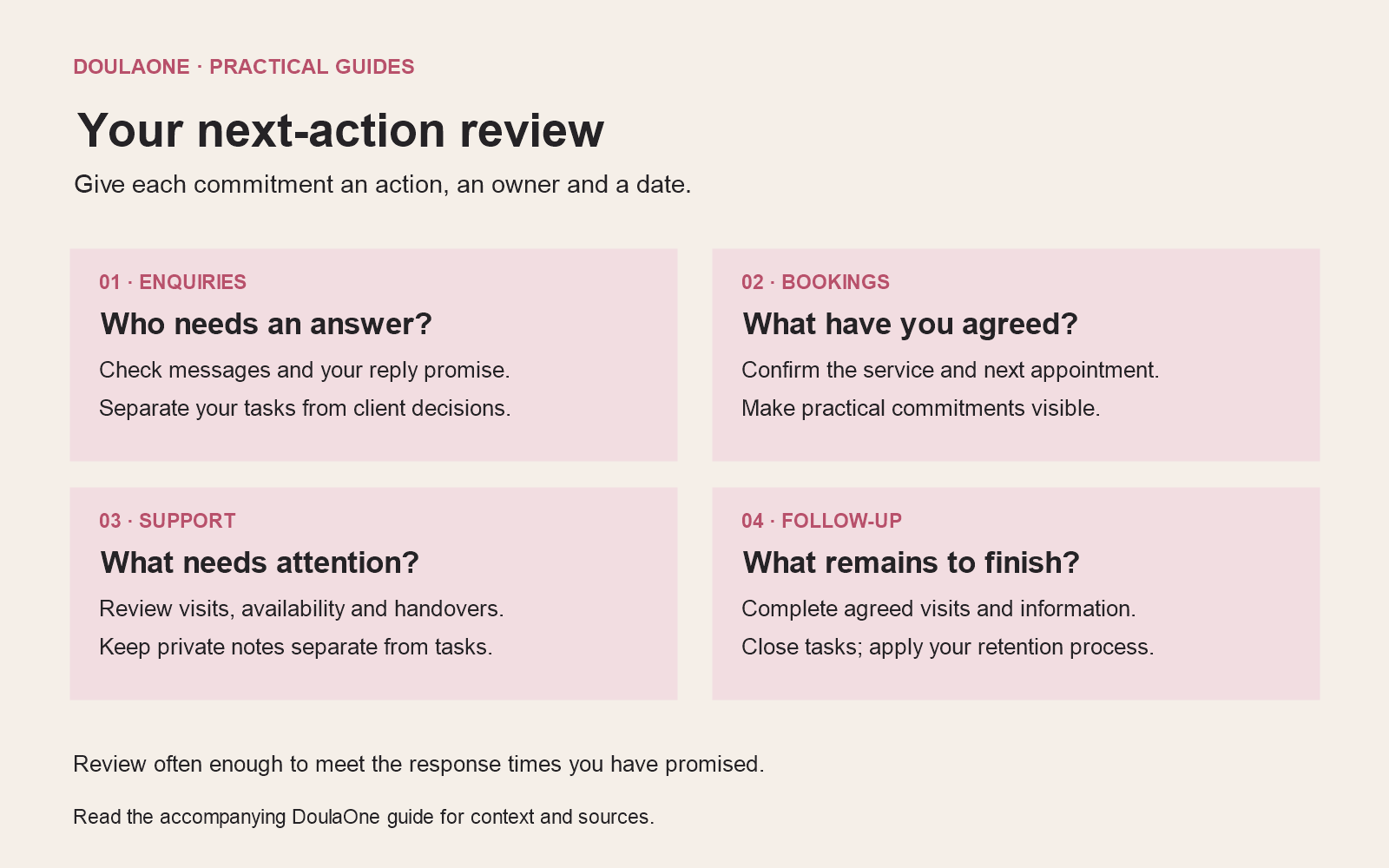
Begin with overdue actions and anything due before your next review. Then look at incoming enquiries, recently agreed bookings, current availability windows and work approaching its end. Check for tasks with no owner or date. If you are waiting for someone else, add a sensible review date rather than sending another message automatically.
Look at your capacity as well as the list. A beautifully organised set of commitments can still be too much to deliver. Move or renegotiate work where appropriate, and tell the people affected.
Start with your next enquiry
You do not have to reorganise every historic record before using a clearer process. Begin with the next enquiry and a few current clients. Make each next action explicit, then review what you actually use before adding more fields.
DoulaOne’s paid practice plans include a client pipeline, profiles, notes, calendars and documents; shared-care features are on Pro. Choose the tools that help you maintain your process. The useful result is opening your workspace and knowing what you have promised to do next.