
15 November 2026
A birth plan review, a feeding call, a pack of three.
Paid for and booked in one go.
Until now a paid call meant an invoice, a payment link and a booking link, in that order, hoping nobody got lost in between. Now it is one product.
Marketplace
Create a session product
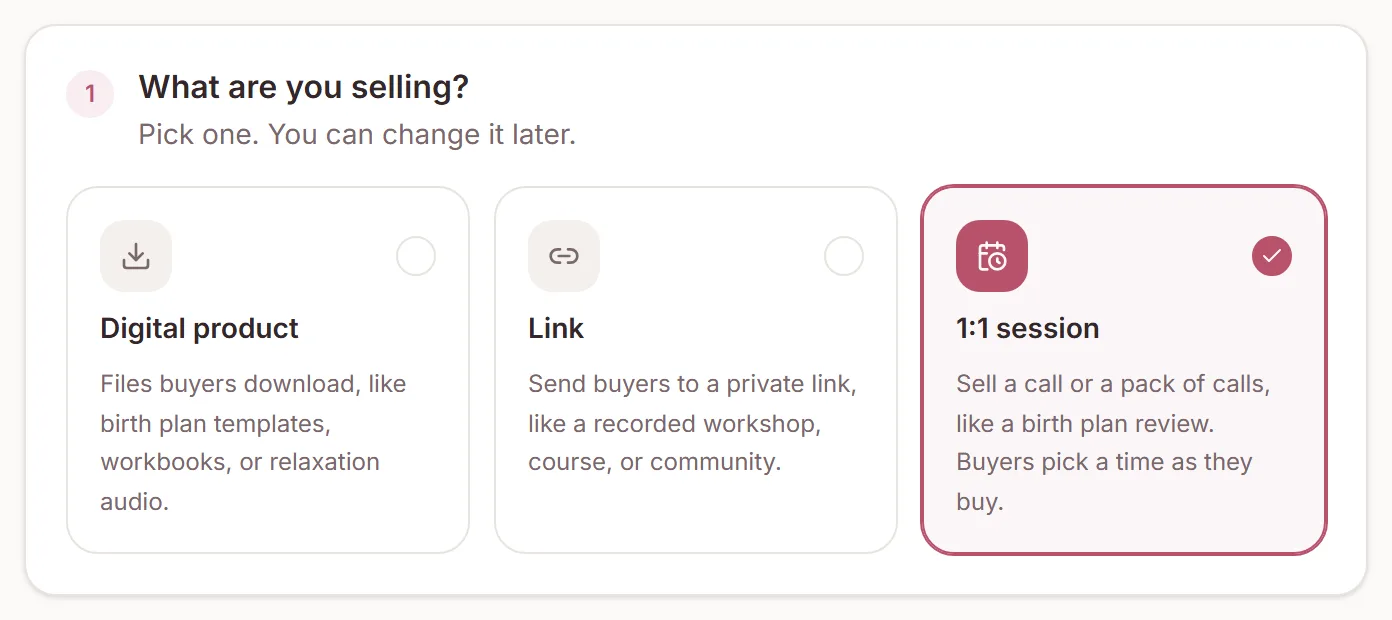
- Open Marketplace and click New product.
- Choose 1:1 session, then a layout.
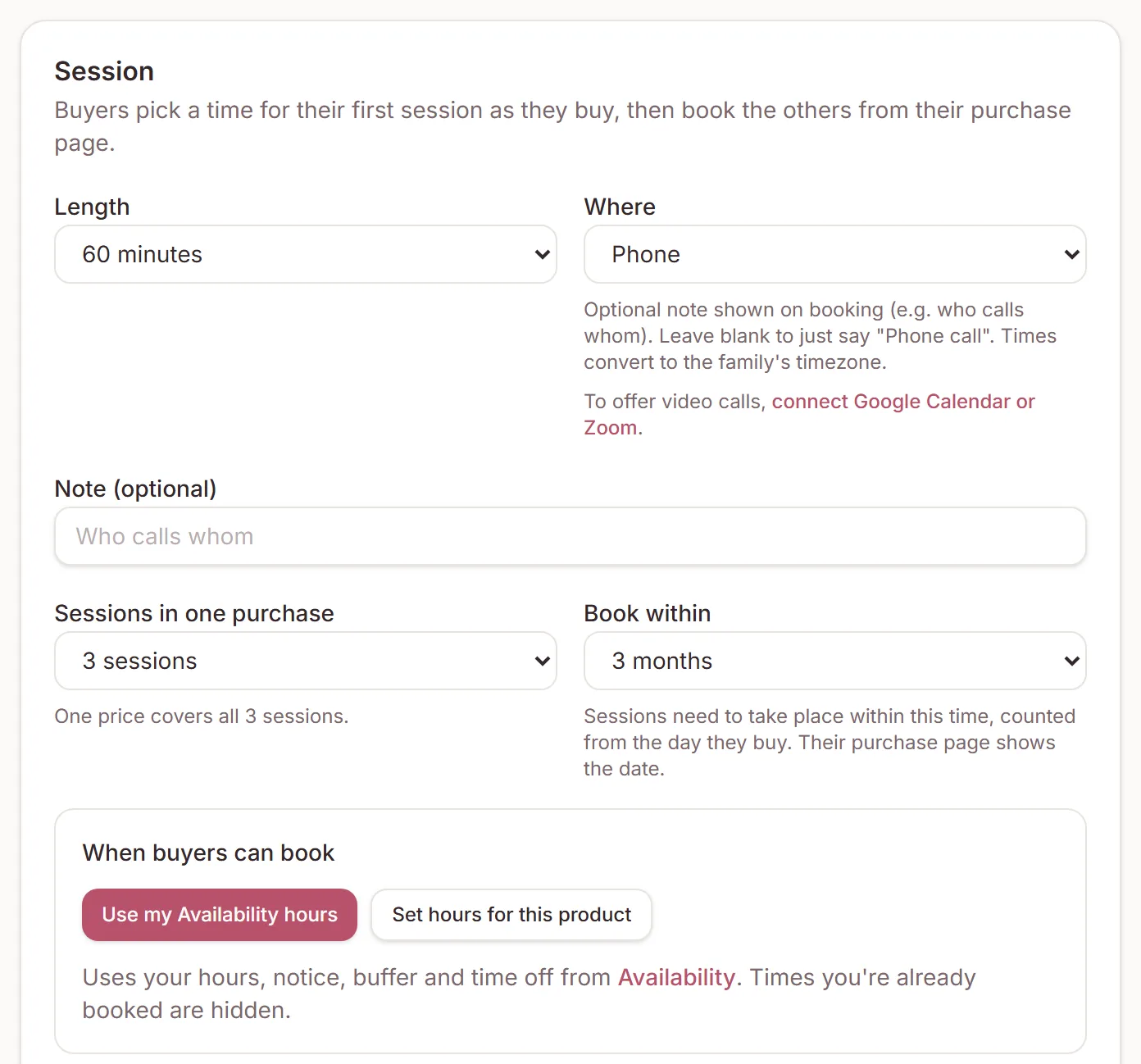
- Set the length, where it happens, how many sessions one purchase includes, and how long buyers have to book them.
- Under Booking form, choose which details buyers give and add your own questions.
Marketplace
Your hours, your calendar
Sessions use your Availability hours, notice and time off, or hours you set for that product. Times you are already booked, and times another buyer is paying for, are hidden.
A session product doesn't count towards your meeting links, and it can't be booked for free from a link.
Link in bio
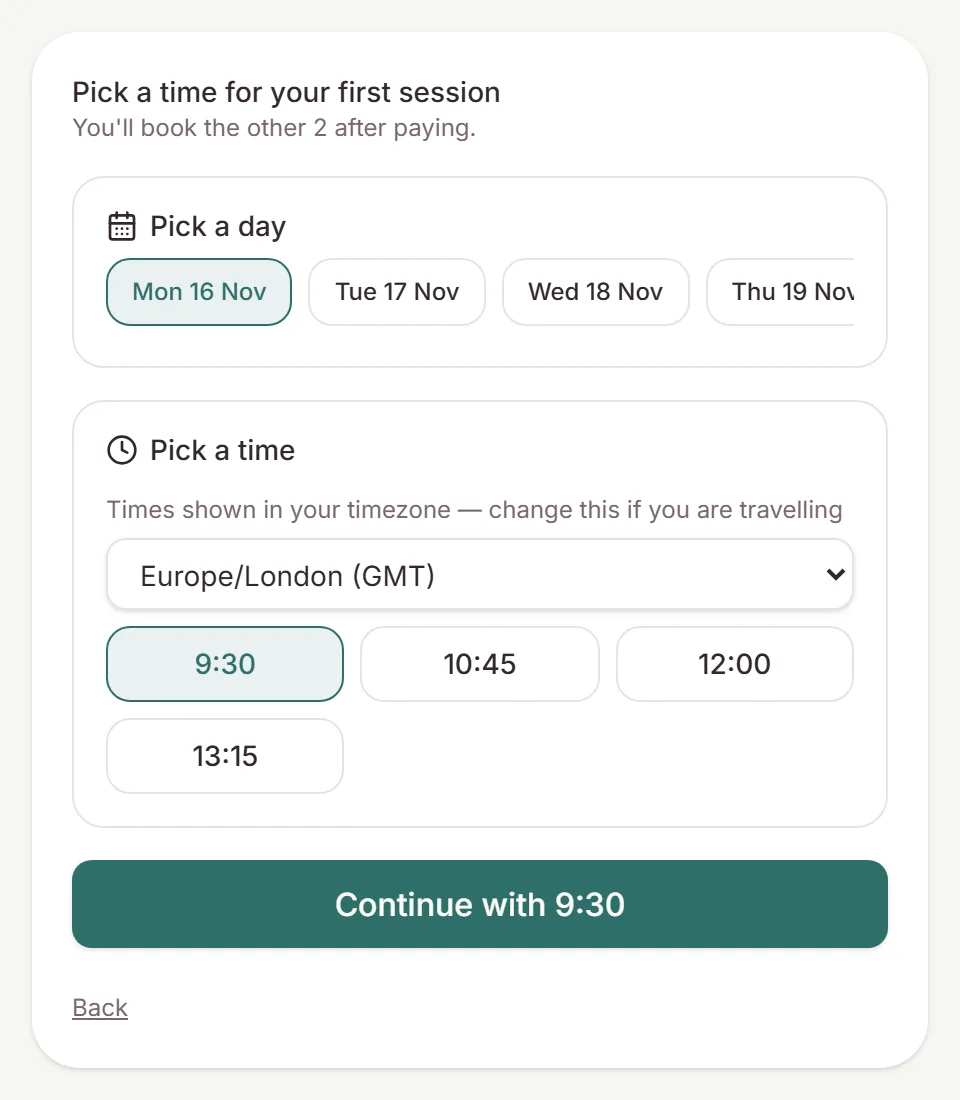
Buyers pick a time, then pay
Buyers choose a time for their first session, then pay. The time is held for them for 30 minutes while they are in checkout. They get a confirmation with a calendar invite, and you get a sale and a booking notification.
With a pack, they book the other sessions from their purchase page, before the date you set.
Sales
Changes and refunds
Buyers can reschedule or cancel from their confirmation email. A cancelled session goes back on their purchase so they can book a new time. The Sales tab shows how many sessions each buyer has booked, and Add a month gives someone more time to book. If you refund a purchase in full, its upcoming sessions are cancelled for you.
Need a hand?
Stuck on this update?
Write to us.
Tell us which note you were following, and the workspace email you sign in with. We aim to reply within one to two business days.