
15 November 2026
A welcome offer, a price for your class group, a spring sale.
One code, and the price drops before checkout.
Until now a discount meant changing the price for everyone and remembering to change it back. Now you make a code and share it with the people it is for.
Marketplace
Make a code
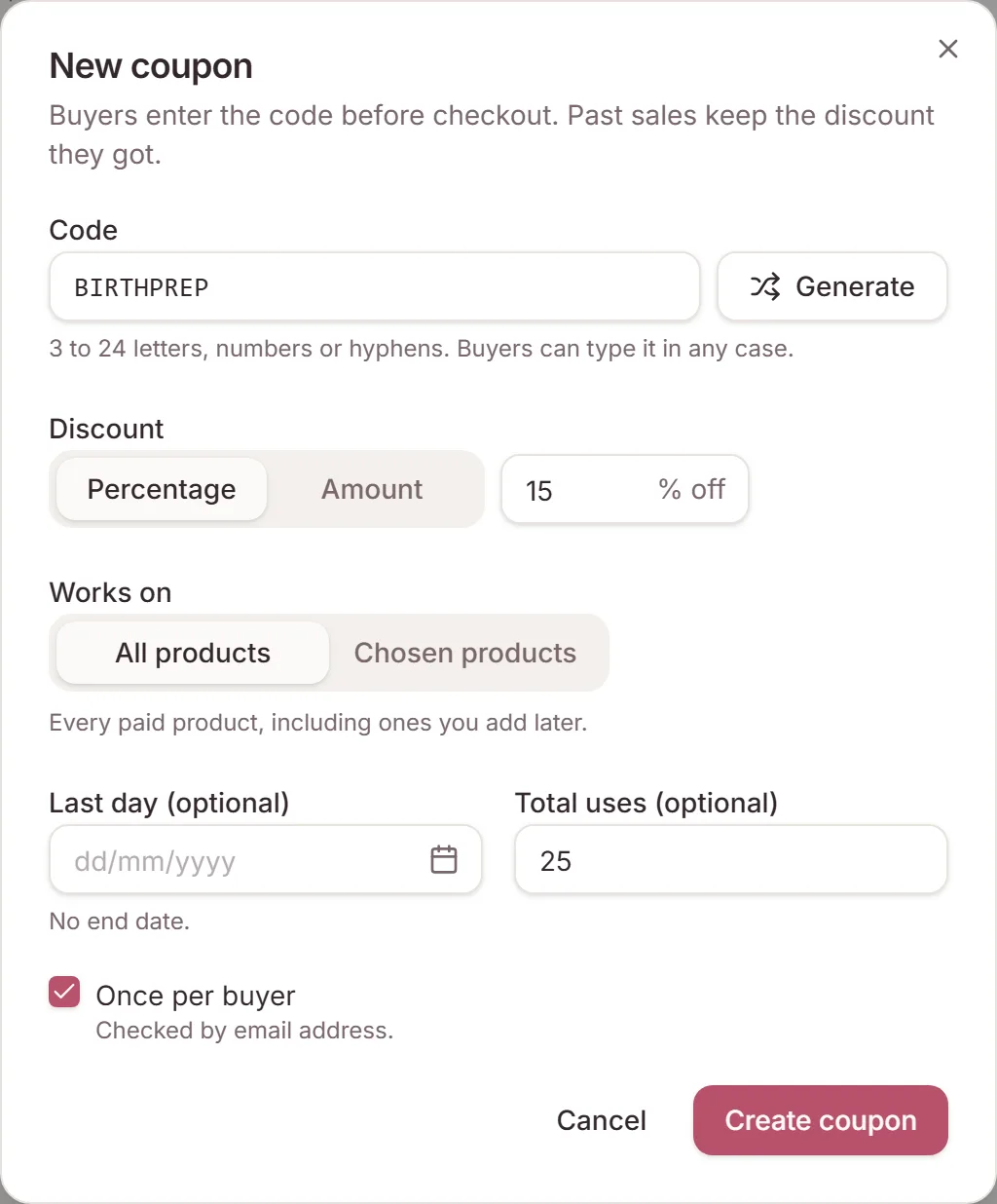
- Open Marketplace, go to the Coupons tab and click New coupon.
- Type a code, or click Generate for a random one.
- Choose a Percentage or an Amount off, and whether it works on all your products or the ones you pick.
- If you like, set the last day it works, how many times it can be used in total, and Once per buyer.
Coupons
Share it
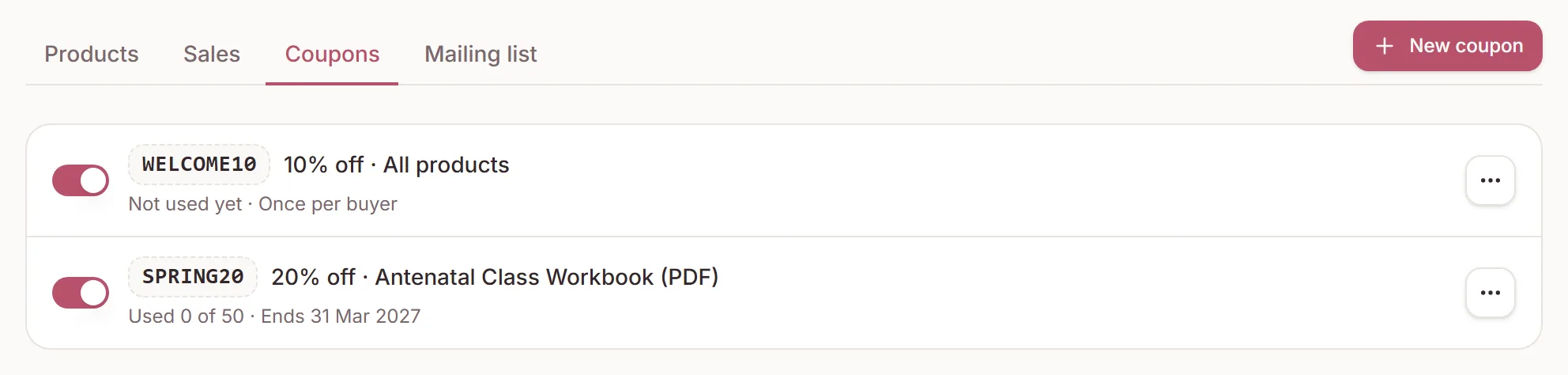
Each code's menu has Copy link with code. The link opens the product, or your shop for a code that covers more than one product, with the code already filled in. You can also just tell people the code.
The list shows how many times each code has been used and how much it has taken off. Use the switch to pause a code, and turn it back on whenever you like.
Link in bio
Buyers enter it before checkout
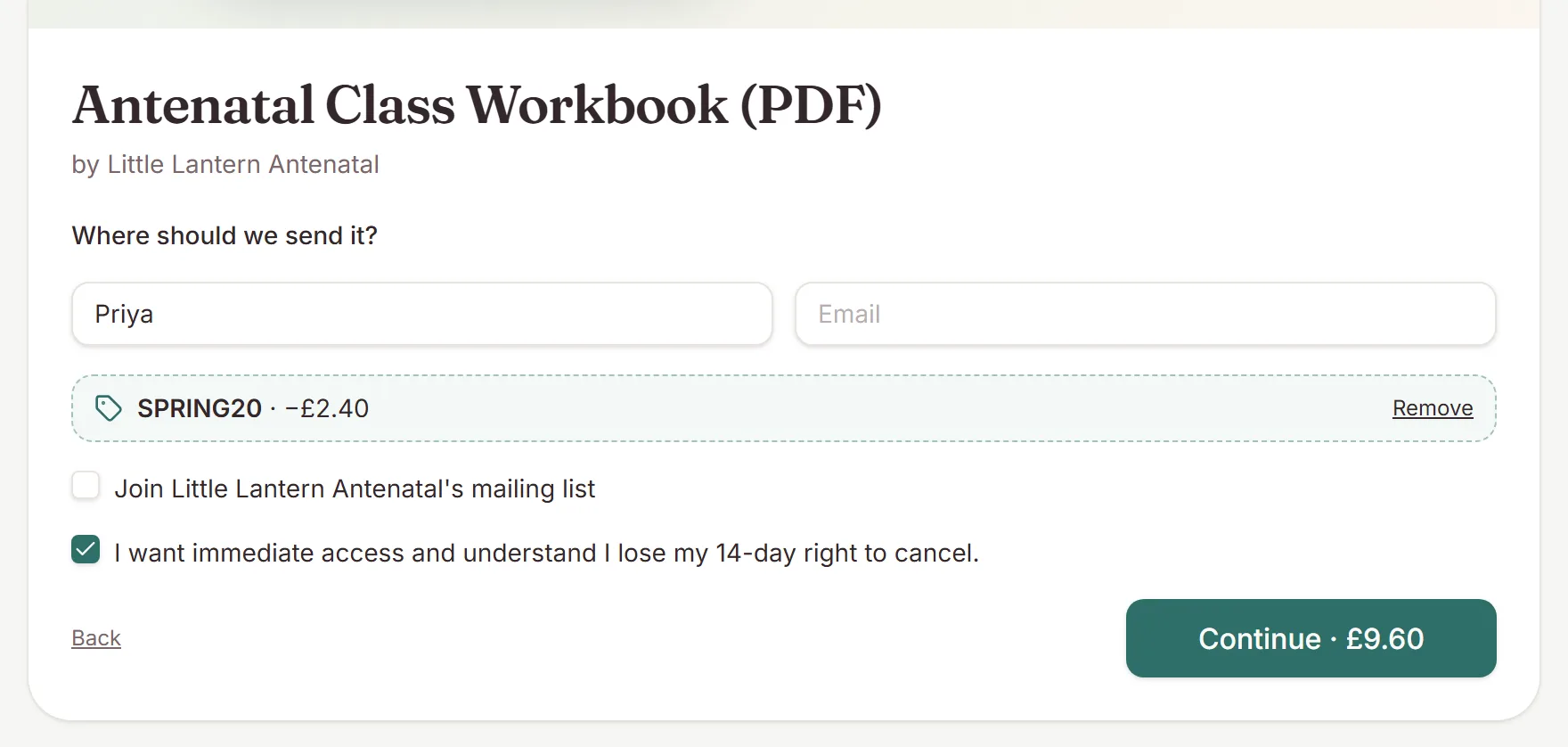
When buyers enter their details on the product page or in the pop-up on your link in bio, they see Have a code? if a code could apply. The price on the button drops as soon as they apply it, and the saving shows in checkout too.
A code that takes 100% off works like a free product: no card details, and 1:1 sessions are booked straight away.
Sales
In your sales
The Sales tab shows the code each buyer used and how much it took off, and your sale notifications mention it too. DoulaOne's fee is worked out on the price the buyer actually paid, and a refund gives back what they paid.
Need a hand?
Stuck on this update?
Write to us.
Tell us which note you were following, and the workspace email you sign in with. We aim to reply within one to two business days.