
15 November 2026
Fewer settings to tick.
A straight path to your first booking.
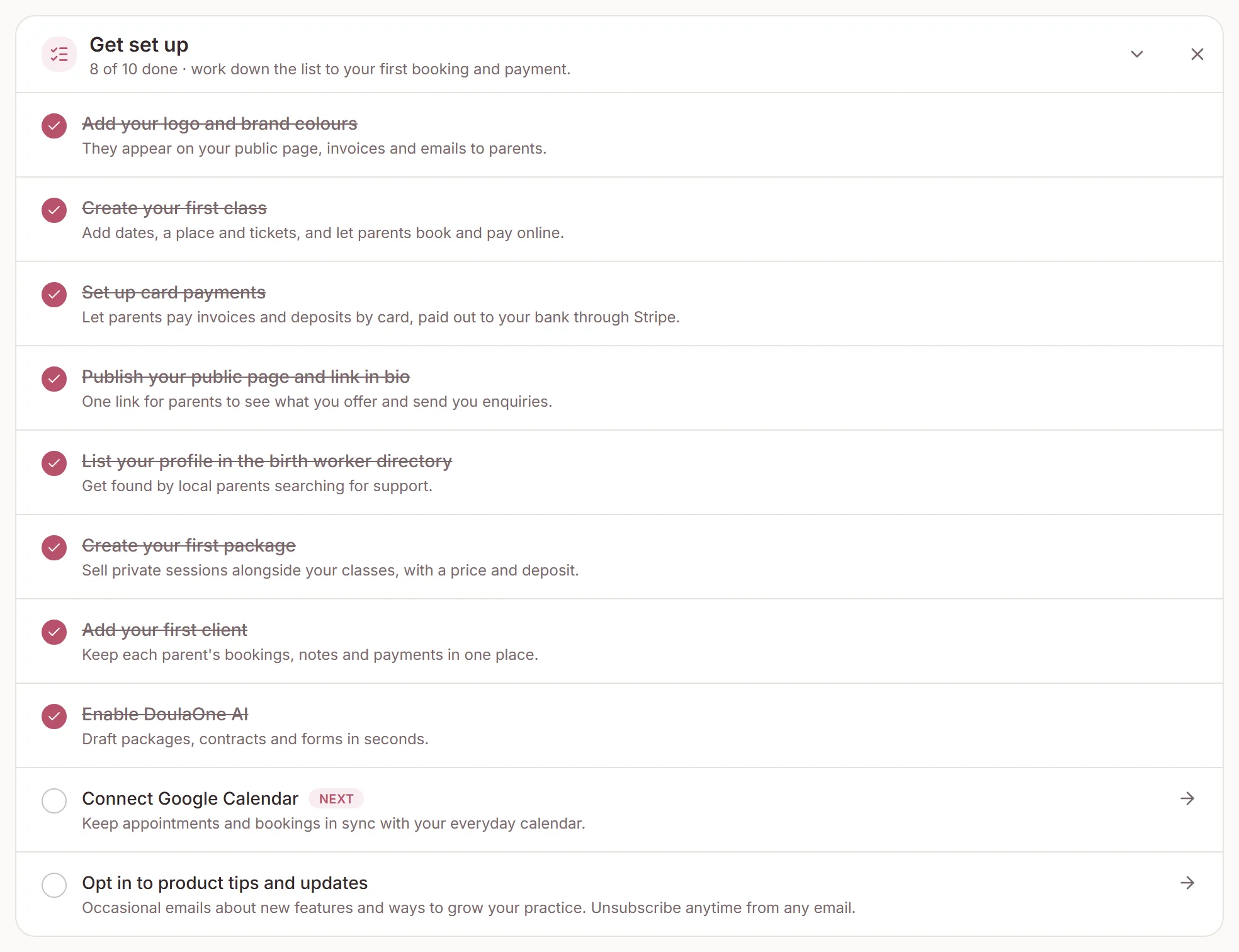
A new account used to open on a list of settings. Now it opens on the steps that lead to your first real result, in the order you need them, with the next one marked.
Dashboard
Steps in the order you need them
Open your Dashboard and look for Get set up. The step marked Next is the first one you haven't done yet. Click any step to go straight to the page where you do it.
- Doulas and other birth support: your logo, a package, your first client, a contract, card payments, a meeting link for consultations, then your public page and directory listing.
- Antenatal, hypnobirthing and baby massage teachers: your first class comes straight after your logo, then card payments and your public page.
- Lactation, sleep, therapy and other one-to-one sessions: a meeting link comes early, so people can book a first call.
Steps tick themselves when you do the thing, such as adding a package or sending a contract. There is nothing to tick by hand. AI, Google Calendar and product tips still come last.
New accounts
Tell us your practice when you sign up
When you create a workspace you can now choose what kind of practice it is. Your setup steps follow that choice from your first visit.
Already set up? Choose your Profession under Directory listing on your Public page, and the list reorders itself.
Need a hand?
Stuck on this update?
Write to us.
Tell us which note you were following, and the workspace email you sign in with. We aim to reply within one to two business days.