
15 November 2026
Paid for parking at the birth?
Put it on the invoice in one tick.
Hospital parking, the drive to a birth, a pool liner you bought for a family. If you log it against the client, you can now bill it to them without retyping it.
Invoices
Add expenses to an invoice
- Log the expense or mileage on the Expenses page, or on the client's Billing tab, and pick the client it was for.
- Open New invoice and choose the client.
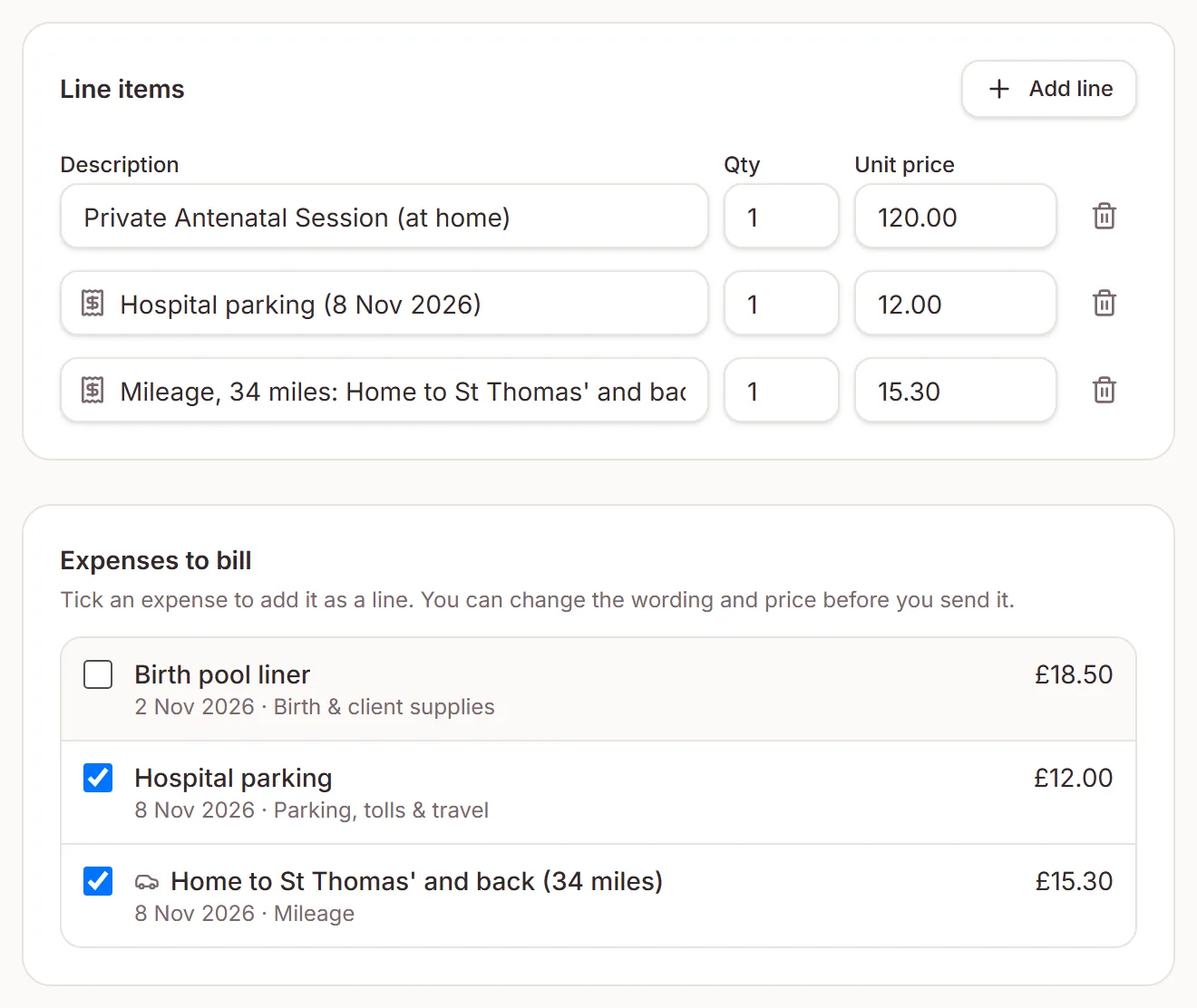
- Under Expenses to bill, tick the ones to pass on, or click Add all.
Each expense becomes a line with its date, like “Hospital parking (8 Nov 2026)”. Change the wording or the price before you send it. You can add expenses when you edit an invoice too.
Expenses
Never billed twice
Once an expense is on an invoice it leaves the list, and the Expenses page shows the invoice number next to it. Click the number to open the invoice.
Untick it when you edit the invoice, void the invoice or delete it, and the expense can go on another invoice. Expenses can't go on a deposit invoice, so bill them on a separate one.
Canada and Australia
Tax on billed expenses
If you're registered for GST/HST in Canada or GST in Australia, the price starts at the cost before the tax you claim back, and the invoice adds tax as usual. Everywhere else it starts at what you paid. Check with your accountant if you're not sure how to charge for expenses.
Need a hand?
Stuck on this update?
Write to us.
Tell us which note you were following, and the workspace email you sign in with. We aim to reply within one to two business days.