
14 November 2026
Snap the receipt. Log the drive.
See what each birth really earned.
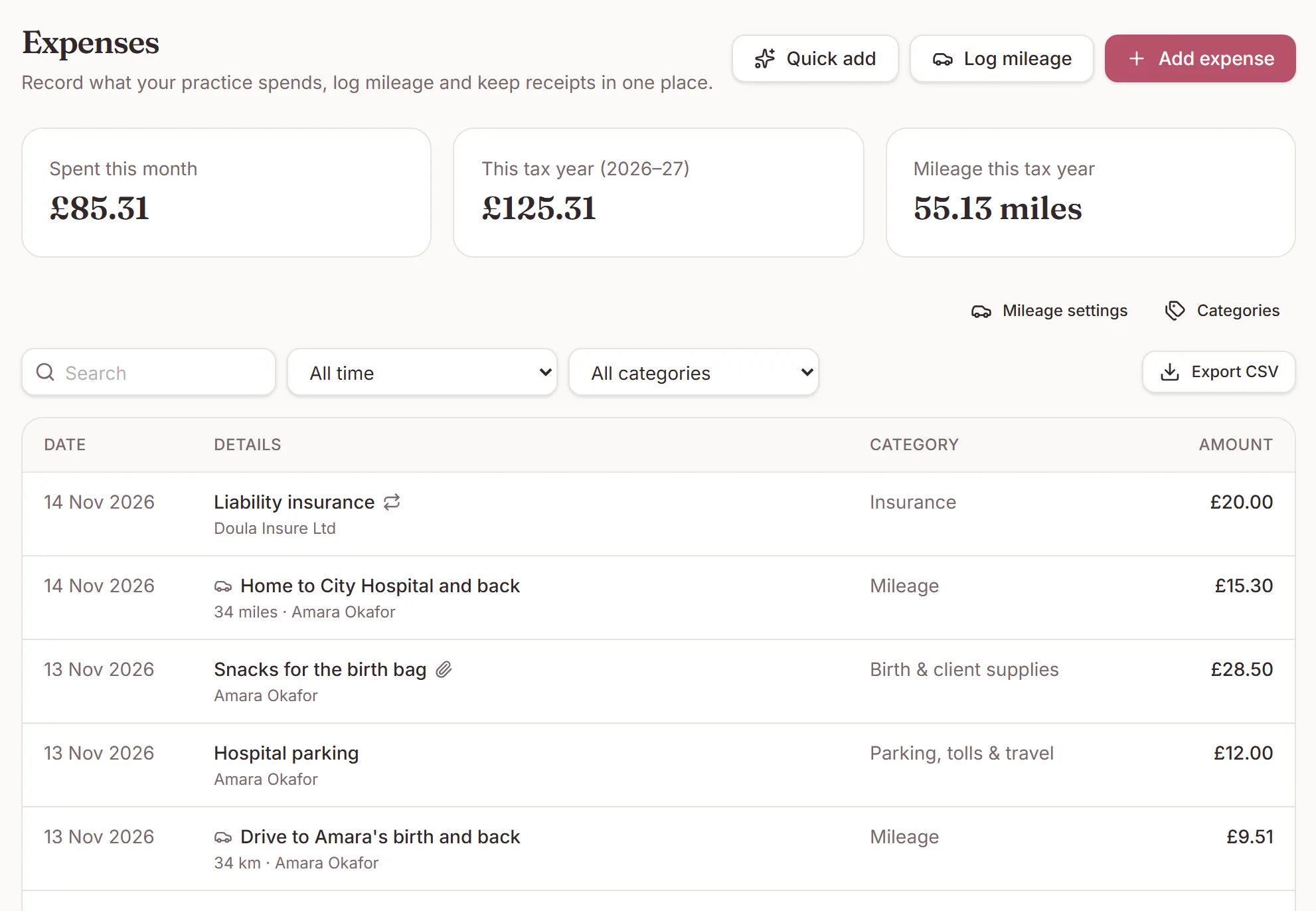
Parking at the hospital, the drive to a 3am birth, the TENS machine, your insurance. They all come off what a client paid you. Now they live next to your invoices instead of in a shoebox.
Expenses
Add an expense
- Open Expenses and click Add expense.
- Tap Take photo on your phone, or Upload file for a PDF or email receipt.
- Enter the amount, pick a category and, if you like, the client it was for.
Your own categories sit alongside the standard list under Categories. If you are registered for GST, HST or VAT, record the tax paid so you can claim it back.
Expenses
Mileage
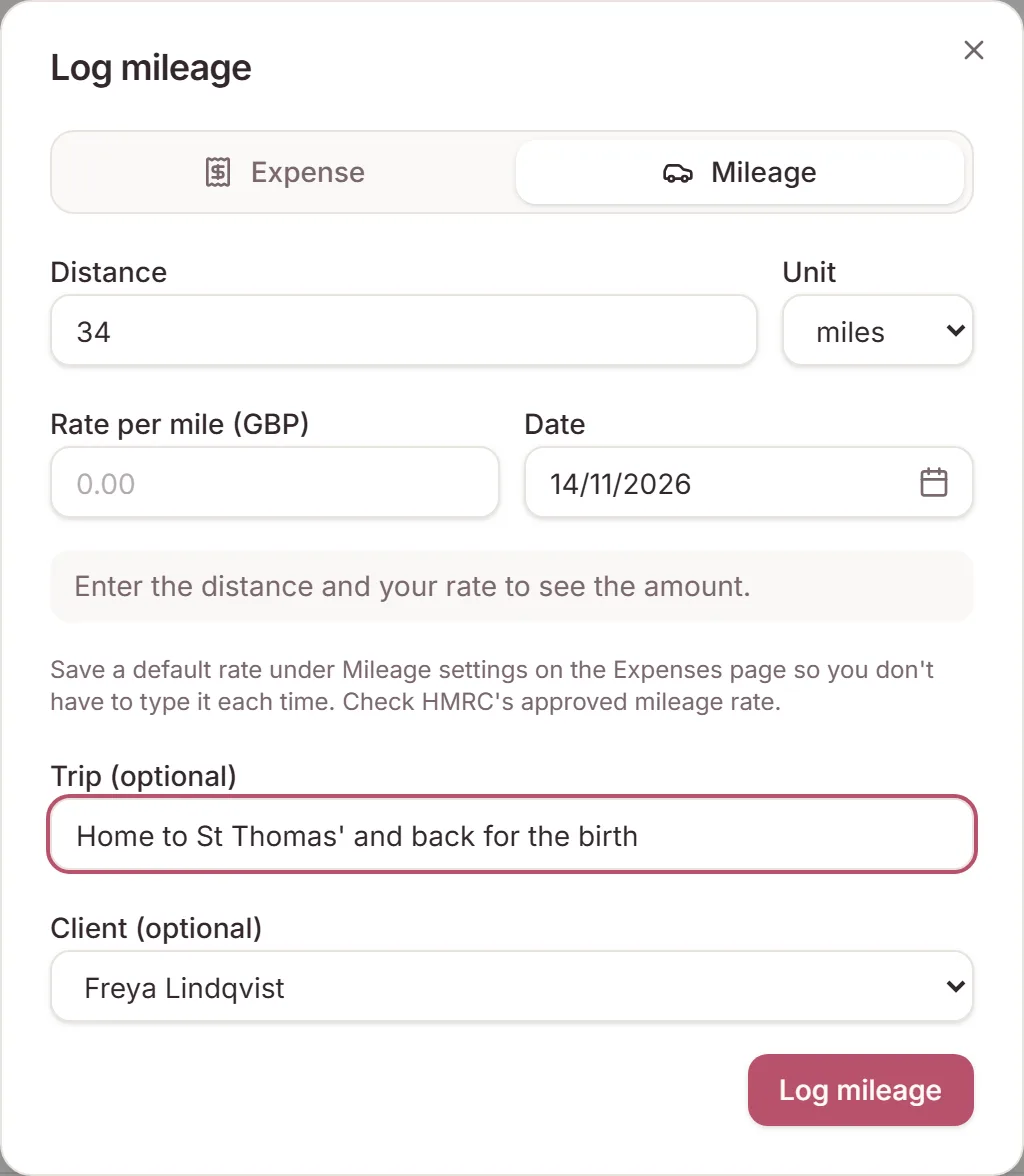
Click Log mileage, enter the distance, and DoulaOne works out the amount from your rate. Set your rate once under Mileage settings, using your tax authority's current figure. Each trip keeps the rate it was logged with.
On a client's Billing tab you can log the drive to their birth and see what they paid against what their care cost.
Expenses
Recurring costs
Insurance, memberships and subscriptions can repeat monthly, every three months or yearly. Each payment is added on its due date. Pause one, or give it an end date.
Pro
Team claims
Backup doulas and assistants get an Expenses tab in your practice to log mileage and costs for clients they support. They only see their own claims.
You get a notification for each claim. Open it to mark it reimbursed and say how you paid, ask a question, or decline it with a reason. They hear back by notification and email. Filter by person to pay back everything you owe them in one go.
Pro
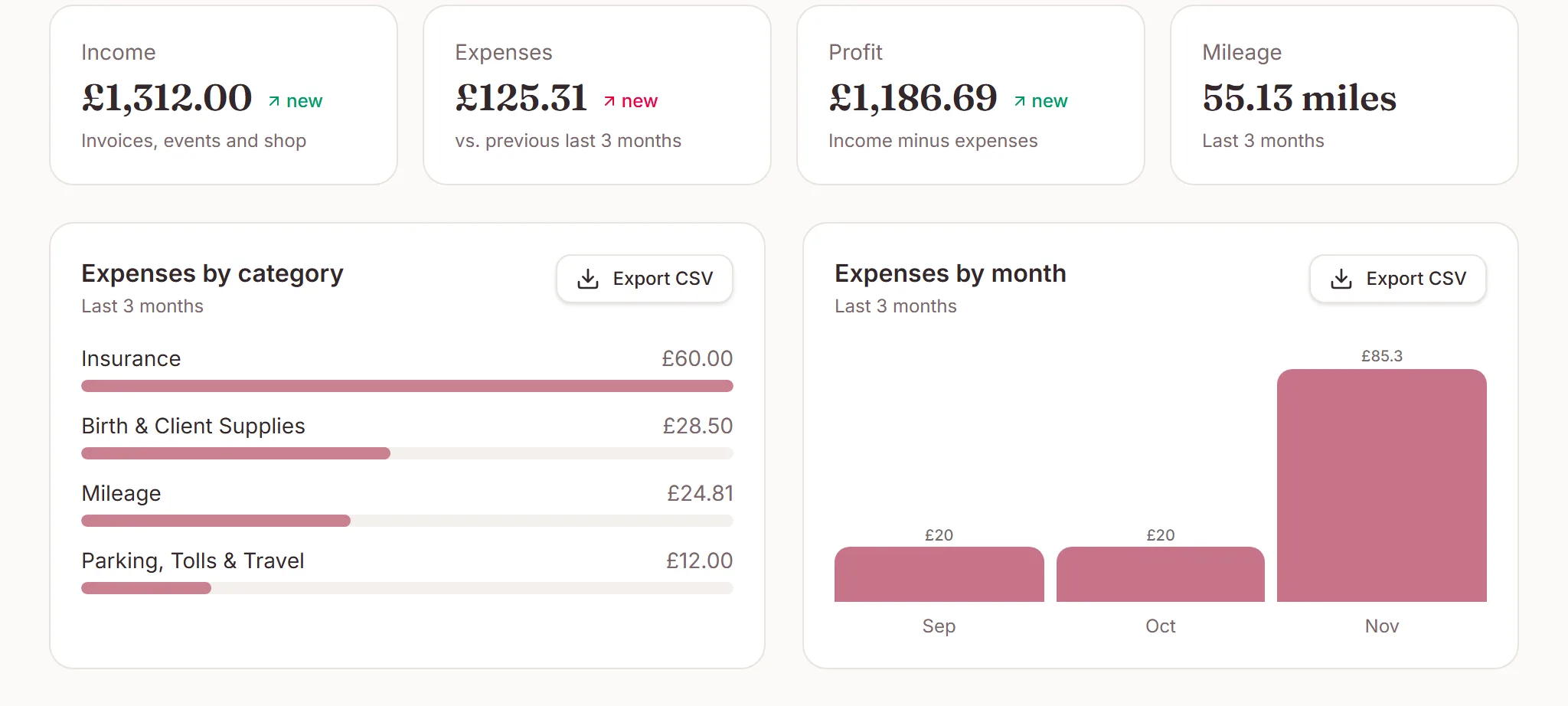
Profit in Reports
The Revenue report now shows income, expenses and profit, spending by category and by month, and profit by client. Download an expenses CSV for your accountant. In the UK, Australia and New Zealand the Expenses page also filters by tax year.
Pro
Let DoulaOne AI fill it in
With DoulaOne AI switched on, a receipt photo fills in the amount, date, shop, tax and category for you to check. Quick add turns a note like “drove 34 km to Sam's birth and paid $12 parking” into entries you review before saving.
Need a hand?
Stuck on this update?
Write to us.
Tell us which note you were following, and the workspace email you sign in with. We aim to reply within one to two business days.