
14 November 2026
Invite your backup to the visit.
Share the reminder too.
When a backup covers your families, they need the same diary you do. Now they get the calendar invite, the update when a family reschedules, and the reminder you set for the 36-week visit.
Appointments
Invite the care team to an appointment
- Add an appointment for a client you share with a backup, or open one.
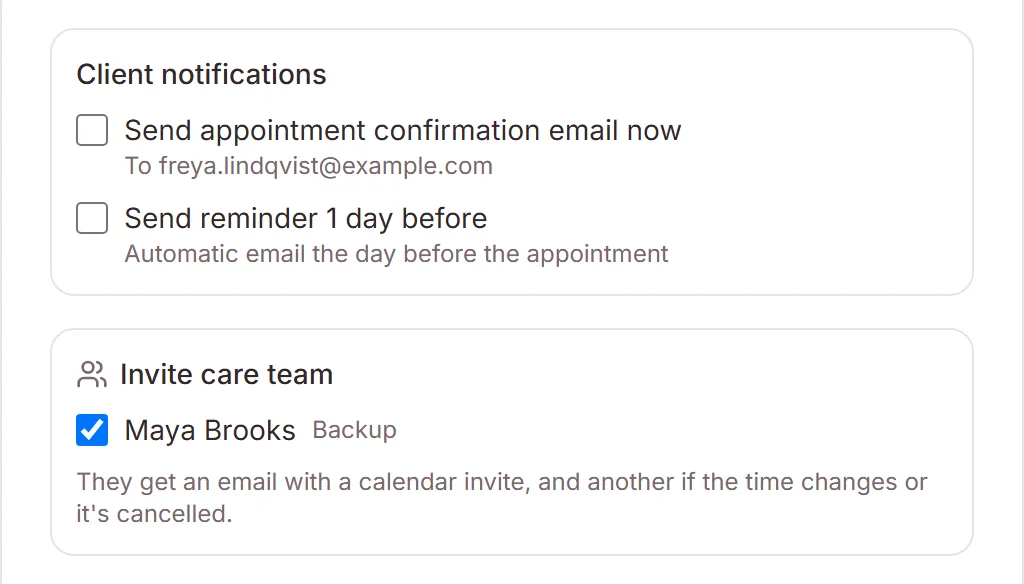
- Under Invite care team, tick the people who should come.
- Save. Each person gets an email with a calendar invite.
They get another email if the time changes or the visit is cancelled, including changes the family makes from their manage link or through Calendly. The appointment shows Care team with their names, on the calendar and the bookings agenda too.
A backup can change the time from their shared view. You get an email when they do, and your Google Calendar event moves with it. Take a backup off a client, or have them leave your practice, and their upcoming invites are cancelled.
Team
Always invite a backup
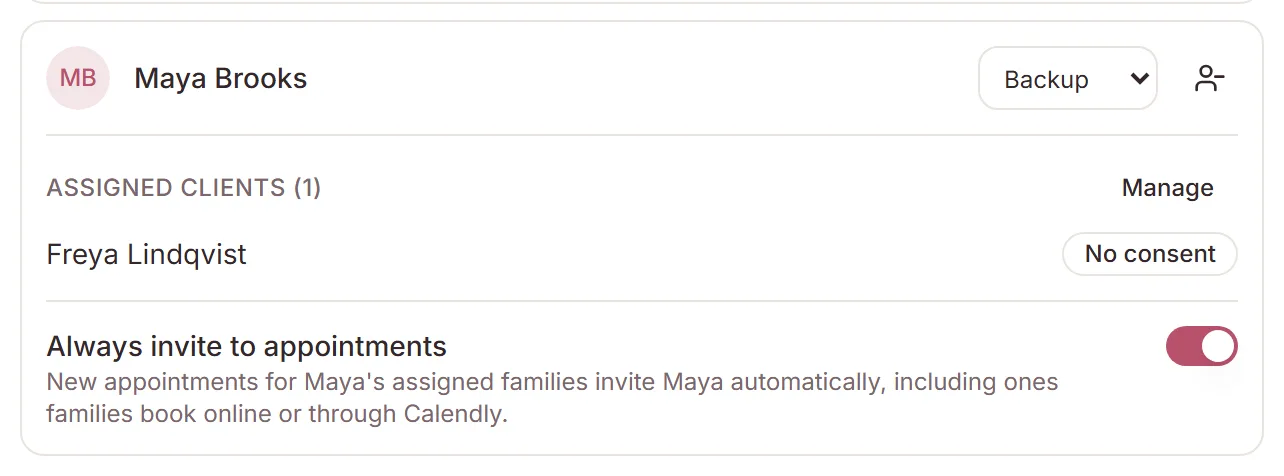
On Team, each backup has an Always invite to appointments switch. With it on, new appointments for their assigned families tick them for you, and online and Calendly bookings for those families invite them automatically.
Settings
Choose your care-team emails
Under Settings → Notifications, Care team emails has two switches: Appointment invites and changes, and Day-before reminders for each care-team appointment you're invited to. Each person sets their own. The section shows once you have a backup, or are one.
Need a hand?
Stuck on this update?
Write to us.
Tell us which note you were following, and the workspace email you sign in with. We aim to reply within one to two business days.