
24 November 2026
Resend never drops a PDF.
Invoices are rebuilt fresh.
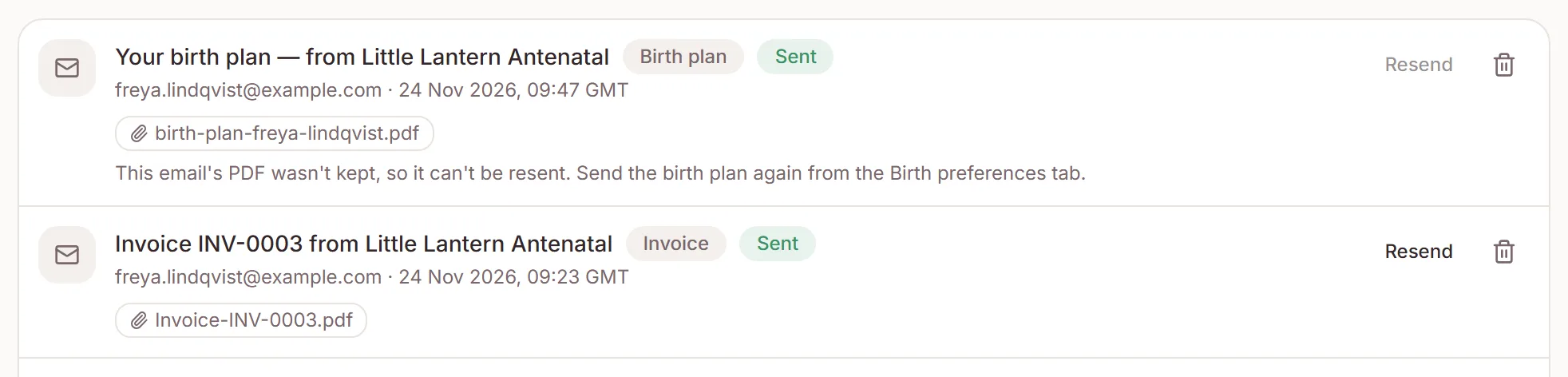
Some emails carry a PDF made just for that send, such as a birth plan or an invoice. DoulaOne doesn't keep a copy of those, so Resend used to send the message again without the file, while the email still said it was attached. Now Resend checks first.
Email tab
It tells you before you click
On a client's Email tab, an email whose PDF wasn't kept now says so under its attachment, and its Resend button is off. The note says where to send it again: a birth plan from the Birth preferences tab, or an appointment's calendar invite by sending a reminder from the Appointments tab.
Files kept in the client's Documents are still attached again. If one has been deleted since, Resend says which file and sends nothing.
Billing
Invoices are rebuilt
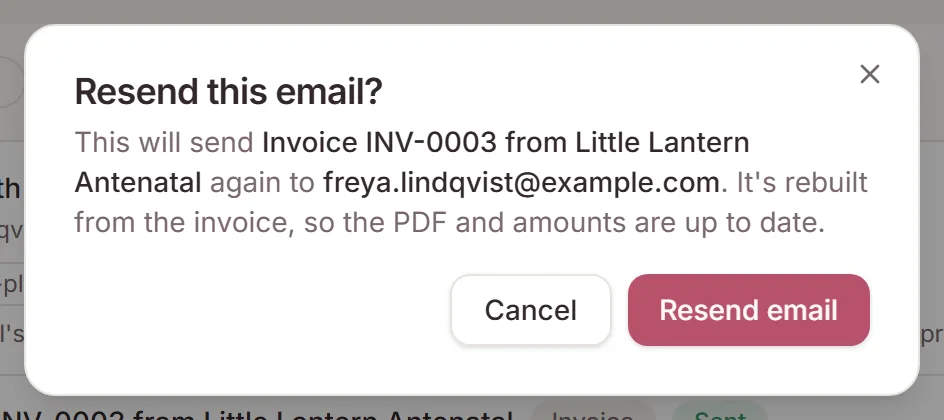
Resending an invoice builds it again from the invoice: a new PDF with the amounts as they are today, sent to the same addresses as before. Paid receipts are rebuilt the same way.
If the invoice has been paid or voided since, there's nothing to resend, so DoulaOne says so instead.
Need a hand?
Stuck on this update?
Write to us.
Tell us which note you were following, and the workspace email you sign in with. We aim to reply within one to two business days.