
12–13 November 2026
Send the follow-up after care ends.
Keep the time right when the clocks change.
A thank-you when a family's care ends, or a check-in after an enquiry went quiet, used to be a rule that never sent. Now it sends, and only the rules that ask for those clients reach them.
Automations
Rules that reach Closed and Lost
- Open Automations and add a rule.
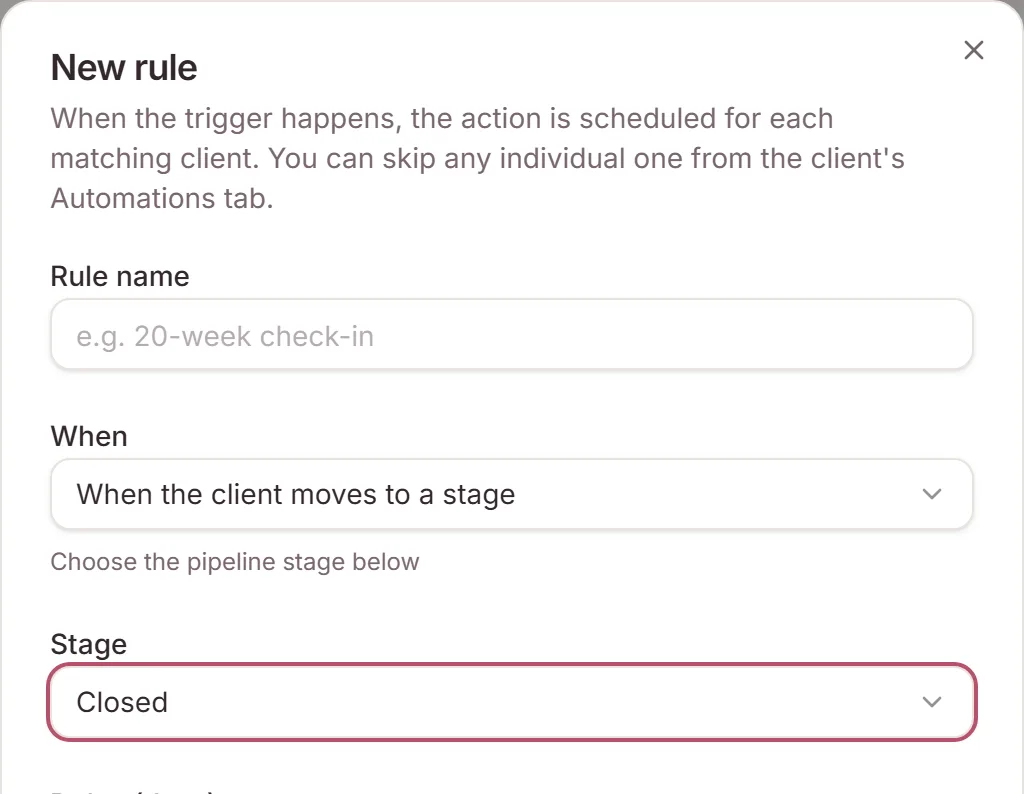
- Choose When the client moves to a stage and pick Closed or Lost. Or add an Only if pipeline stage condition that includes Closed or Lost.
- Write the message and turn the rule on.
Every other rule still stops for Closed and Lost clients, and their queued messages are still cancelled. A move-to-stage action never moves them. Archived and paused clients get nothing. A rule for the built-in Closed stage also runs when a client moves into one of your own stages that counts as Closed.
Calendar
Times near a clock change
A time typed close to a daylight-saving change could be saved an hour out. In Sydney, an event at 8pm the evening before the clocks went forward was saved for 7pm. Events, appointments, reminders, scheduled messages and automation schedules now keep the time you typed. A time the clocks skip, such as 2:30am on the night they go forward, moves to 3:30am. A time that happens twice means the first one.
Need a hand?
Stuck on this update?
Write to us.
Tell us which note you were following, and the workspace email you sign in with. We aim to reply within one to two business days.