
25 November 2026
Families see every time that fits.
Your buffer starts after they book.
Until now, start times were spaced by the session length plus your buffer. Open 12pm to 6pm for a two-hour session with a one-hour buffer, families could only pick 12pm or 3pm. A booking could also hide time that was still free.
Meeting links
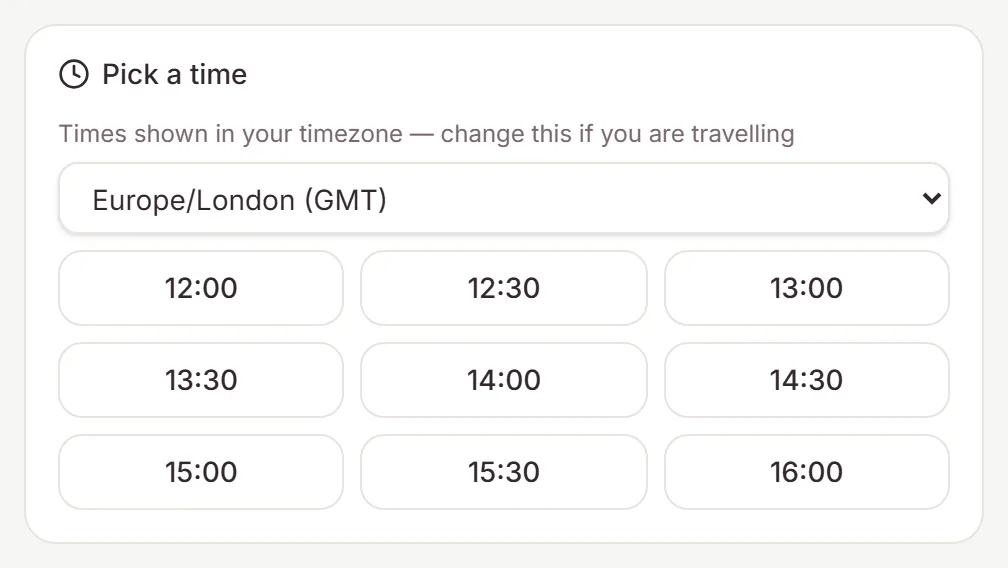
A start time every 30 minutes
Families now see a start time every 30 minutes, as long as the whole session fits in your hours. In the same example they can pick 12pm, 12:30, 1pm and so on, up to 4pm.
Sessions shorter than 30 minutes, such as a 15-minute discovery call, get a time every 15 minutes.
This applies to your meeting links, personal client links, Book a call on your public page, 1:1 sessions in your shop, and when a family moves a booking.
Availability
Your buffer, after each booking
Your Buffer between bookings now applies before and after the sessions people book. Once a family books 1pm to 3pm with a one-hour buffer, times that would run into 12pm to 4pm disappear, and 4pm is still offered. Before, that afternoon showed no times at all.
The next time starts as soon as the buffer ends, even between the half hours. With one-hour sessions and a 15-minute buffer, a 9am booking leaves 10:15 open next, so you can still be booked back to back.
The buffer also keeps clear time around anything else that blocks your calendar, such as events and busy time in a connected Google Calendar. When that busy time ends at an odd minute, the next time is rounded up to the next 5 minutes. You don't need to change any settings.
Need a hand?
Stuck on this update?
Write to us.
Tell us which note you were following, and the workspace email you sign in with. We aim to reply within one to two business days.